
Stereoscopic 3D: Views, Disparity, and Formats
Stereoscopic 3D uses two views of the same scene—one for the left eye and one for the right. Small differences between corresponding features, called binocular disparity, allow the brain to perceive depth. The content principle is the same whether the views are delivered through glasses, a headset, or a glasses-free display.
This article explains the content signal. For a comparison of the hardware categories that deliver it, see Stereoscopic Display Types.
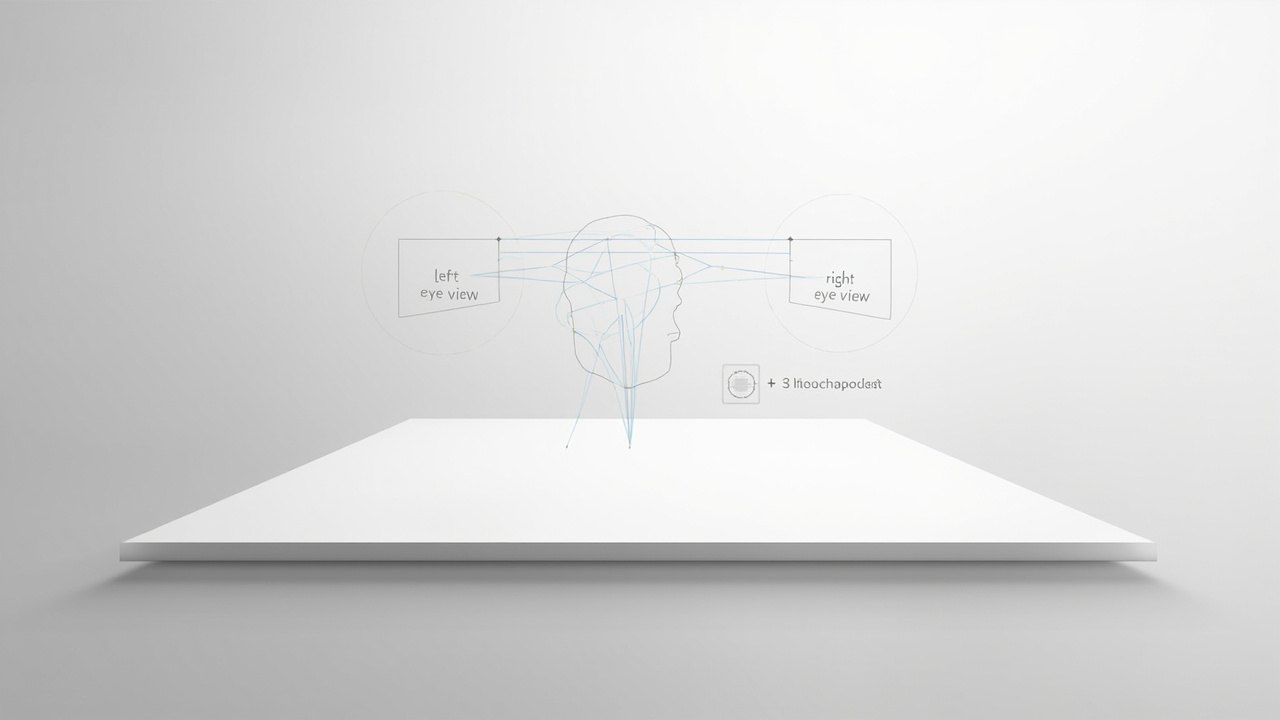
A stereo pair represents two viewpoints
The left and right images should depict the same moment, color treatment, scale, and scene state from slightly different positions. If objects move between captures or the cameras are mismatched, the viewer may see rivalry, flicker, or double edges instead of stable depth.
Stereo pairs can come from two physical cameras, two virtual cameras in a 3D application, binocular microscope capture, or software that renders a scene twice. The key requirement is synchronized, geometrically consistent views.
Disparity determines perceived depth
An object aligned at the same horizontal position in both images appears near the screen plane. Horizontal displacement changes its perceived position:
- one disparity direction places the object behind the screen;
- the opposite direction makes it appear in front;
- greater disparity generally increases perceived depth, but also makes fusion more demanding.
The correct sign depends on the view order and coordinate convention. Sudden, extreme, or inconsistent disparity can cause discomfort. Content creators should set a depth budget for the screen size and expected viewing distance instead of maximizing the effect.
Vertical mismatch is usually an error
Human stereopsis expects corresponding features to be aligned vertically. Camera height, rotation, lens distortion, or an incorrect crop can introduce vertical disparity. The eyes then work harder to fuse the images.
Before blaming the display, inspect the source pair side by side. Check horizon level, scale, color, frame synchronization, crop, and left/right labels. Correcting the pair upstream is more reliable than compensating at playback.
Common packaging formats
The stereo pair can be transported in several ways:
| Format | How views are packaged | Main check |
|---|---|---|
| Side-by-side (SBS) | views placed horizontally in one frame | full vs half width, eye order, aspect ratio |
| Top-and-bottom | views stacked vertically | full vs half height, eye order, scaling |
| Dual stream | separate synchronized files or feeds | timing and stream identification |
| Frame sequential | alternating left and right frames | refresh synchronization and delivery support |
| Application stereo output | two views rendered in real time | camera configuration, frame rate, supported API/path |
SBS is common because it travels through an ordinary video frame, but it can be mishandled by automatic scaling. The SBS testing workflow covers that format specifically.
Delivery and content are separate layers
Glasses-based systems time or polarize the views so eyewear separates them. Headsets present separate optical paths close to the eyes. Autostereoscopic displays use directional optics and, in some systems, eye tracking to route the pair without worn equipment.
Changing the delivery device does not fix a poor stereo pair. Reversed views remain reversed; excessive disparity remains excessive; missing spatial information remains missing. A reliable workflow keeps source validation separate from display validation.
A five-part stereo quality check
Use both a source preview and the intended display:
- Identity: left and right views are labelled and routed correctly.
- Synchronization: motion and scene state match between views.
- Geometry: vertical alignment, scale, and rotation are consistent.
- Depth: disparity is deliberate, readable, and comfortable at the target screen size.
- Presentation: the player preserves aspect ratio and does not crop or stretch either view.

What stereoscopic 3D does not provide
A stereo pair offers binocular depth from one pair of viewpoints. It does not automatically provide full motion parallax, room-scale immersion, six-degree-of-freedom navigation, or multiple independent perspectives for a group. Those capabilities require additional capture, rendering, tracking, or display architecture.
For a practical glasses-free workflow, first validate that the application or file can generate a usable pair, then use the content compatibility guide to choose the playback path.